WhatsApp Business account banned: the three ban notices, in-app review vs API appeal, India Grievance Officer and GAC ladder with Aug 2026 outcomes, look-alikes (SIM binding 1 Jan 2027, INR billing, messaging limits), and an owned opt-in contact log
WhatsApp Business Account Banned? What to Do in the First Hour
It is Diwali morning. Last week you sent your festive-offer broadcast to the customer list you have built over years, and today the app shows a notice instead of your chats. If your WhatsApp Business account banned you overnight, you are not alone and you are probably not being singled out. In August 2026 WhatsApp banned 6,202,400 Indian accounts, and 1,690,800 (27%) of them were banned proactively, before any user complained, according to MediaNama's reading of WhatsApp's India compliance report (5 Oct 2026).
The same report has the number that should shape your next hour. Of 15,106 ban appeals sent to WhatsApp's India Grievance Officer that month, 129 accounts were restored, about 0.9%.
Below: the appeal that actually decides your case, what each notice means, the India escalation route, the things that look like a ban but aren't (including SIM binding from 1 Jan 2027), and how to keep customers reachable whatever WhatsApp decides. Figures are as of 8 Nov 2026.
WhatsApp Business account banned: do this in the first hour
- Read the notice exactly. "Temporarily banned" with a countdown, "account restricted" and "This account is not allowed to use WhatsApp" are three different situations. The table below tells you which one you have.
- If you see "Request a review", tap it once. On the WhatsApp Business app this button is the appeal. Write three or four plain sentences on what your business does and who you message. WhatsApp allows one request per number.
- If you run the official API (WABA), don't use the app route. Appeal from Business Support Home instead (details below).
- Do not pay anyone to "unban" you. WhatsApp's Help Center says only WhatsApp can lift a ban and third-party services cannot.
- Stop broadcasting from your other numbers. A second number running the same list is the fastest way to lose that one too.
Why was my WhatsApp Business account banned?
WhatsApp doesn't tell you the exact trigger, but the pattern is well documented. The volume is huge and steady: 51,04,127 Indian accounts in June 2026 (MediaNama), 62 lakh in August, and a reported 4,540,300 in September, of which 1,293,500 were proactive (TimesBull, 7 Nov 2026, a single press source).
The usual reasons a business number gets caught:
- Messages to people who never opted in. That covers a purchased list, numbers copied from a trade directory, or a festive price list forwarded to everyone in your phone. If enough recipients block or report you, a genuine Diwali offer looks exactly like spam to the classifier. This is the most common route to a WhatsApp account banned for spam.
- Unofficial apps and bulk senders. GB WhatsApp, WhatsApp Plus and desktop "bulk sender" tools break WhatsApp's terms.
- A recycled number. The Help Center notes that a newly acquired number may already be banned because of its previous owner.
- Wrongful flags. On 3 Aug 2026 users in several countries, India included, were locked out "under review", and a WhatsApp spokesperson admitted some accounts were flagged wrongly (Gulf News/PTI).
If spam reports are the likely cause, our guide on how to stop your business number being marked as spam covers the sending habits that trigger them.
Temporarily banned, restricted or "not allowed to use WhatsApp"?
These notices come from different systems, and each one has its own way out.
| What you see | What it means | What to do |
|---|---|---|
| "Temporarily banned" with a countdown timer | You are on an unofficial app (GB WhatsApp, WhatsApp Plus). WhatsApp warns that staying on it can lead to a permanent ban | Back up, switch to the official WhatsApp Business app, and stay there |
| "Account restricted" | Third-party guides such as Beebom describe a tier where you can reply in existing chats but not start new ones, lifting on its own. WhatsApp publishes no duration | Stop all outbound messages to new contacts and wait it out |
| Business-broadcast restriction (Business app) | The first restriction for spam blocks or reports on paid business broadcasts lasts 3 days and can't be appealed; repeats last longer | Wait, then send only to people who chose your category of message |
| Template or message block (official API) | Meta's graduated ladder: template blocks of 1 or 3 days, then all-message blocks of 5, 7 or 30 days, then an indefinite lock lifted only by appeal | Fix the template or the list; appeal from Business Support Home |
| "This account is not allowed to use WhatsApp" | A ban. If there is a Request a review option, you can appeal; if there isn't, WhatsApp treats it as final | Request a review once, then plan as if the number is gone |
So a WhatsApp business temporarily banned notice is the most recoverable situation on this list, and a WhatsApp business account restricted notice usually just needs patience. The permanent notice is the one that needs the next section.
How to request a review, and how long it takes
On the WhatsApp Business app, the Help Center is specific:
- The ban notice carries a Request a review button. A review usually takes up to 24 hours, and the decision appears in the app.
- No review option means the decision is final.
- Contacting WhatsApp outside this process does not speed it up, and you get one request per number.
That is the whole of the WhatsApp request a review process. If you searched "WhatsApp business ban kaise hataye", the honest answer is to file once, write plainly and wait.
On the official API, appeals go through Business Support Home → Account Quality: select the violation and request a review. Meta says decisions typically take 24–48 hours, and that not every spam violation can be appealed.
Re-registering after a permanent ban: WhatsApp does not document whether a permanently banned number can be registered again, so treat any vendor who promises it with suspicion.
What happens to your chats and backups?
This is the part most owners discover too late. The Help Center says that while you are banned you can't access your chat history or backups. Access returns only if the account is unbanned. A WhatsApp banned chats backup sitting on Google Drive is no help while the ban stands.
Restoration does not guarantee your data either. In April 2026 the Delhi High Court heard Reepak Kansal v. Union of India. Three advocates' accounts had been restored but their stored data stayed inaccessible, and the court sent them to the Grievance Appellate Committee (LiveLaw).
The lesson: keep a copy of order history and customer numbers somewhere WhatsApp doesn't control, before anything goes wrong.
The India appeal ladder: Grievance Officer, then GAC
India adds two steps on top of the in-app review. Under the IT Rules 2021, WhatsApp has an India Grievance Officer. Find the current contact route on WhatsApp's Help Center and its India grievance page rather than relying on an email address copied from an old blog.
The August numbers show what to expect: 15,106 ban appeals, 129 restored. September was reported at 17,910 ban appeals with 134 actioned.
If the Grievance Officer doesn't resolve it, the next step is the Grievance Appellate Committee (GAC) under Rule 3A of the IT Rules, which decides within 30 days. WhatsApp complied with all 148 GAC orders in August and a reported 127 in September. That is why the Delhi High Court pointed the advocates there.
Courts are a last resort. In October 2026 the President of the Madhya Pradesh High Court Bar Association petitioned the MP High Court after WhatsApp blocked the number he had used for years with clients. His in-app review, filed on 23 Aug 2026, went unresolved and a second number was restricted too. The plea was disposed of after WhatsApp restored both (LiveLaw, Lawchakra).
For a WhatsApp ban appeal in India through the Grievance Officer, the realistic order is: in-app review, then Grievance Officer, then GAC. Keep screenshots and dates at every step. This is general information, not legal advice; speak to a lawyer before going to court.
Three things that look like a ban but aren't
1. SIM binding from 1 Jan 2027. A DoT directive of late November 2025 (AIR News) requires messaging apps to stay tied to the registered SIM. The deadline was extended to 31 Dec 2026, so it applies from 1 Jan 2027 (Outlook Business/PTI, Telangana Today). The forced six-hour logout first proposed was dropped in favour of risk-based logout. But if the registered SIM isn't in the device, functionality may be suspended. Now think of a business SIM sitting in a drawer while staff run the account on WhatsApp Web. From January, that setup will look exactly like a ban.
2. Unmigrated INR billing (API users). Eligible India WABAs must move to INR billing by 31 Dec 2026. From 1 Jan 2027 Meta stops delivering messages from non-INR accounts. That will look like enforcement.
3. Messaging limits (API users). New business portfolios can message 250 unique customers in a rolling 24 hours, shared across every number in the portfolio, per Meta's messaging-limits docs. Many ranking guides still say 1,000 a day. Tiers go 2,000, 10,000, 100,000, then unlimited. You reach 2,000 through business verification or 2,000 high-quality delivered templates in 30 days. Limits scale up automatically within 6 hours if quality is high and you used at least half your limit over the past 7 days. Hitting the cap is not a ban.
Can you still be banned on the WhatsApp Business API?
Yes. The API is not ban-proof. What it changes is that enforcement becomes graduated and visible: you see a quality rating, template blocks come before message blocks, and an appeal returns a decision in a day or two. Send unsolicited offers on the API and you will still be blocked. You just watch it coming.
What the API does give a shop, clinic or distributor is a structure that matches the rules. Customers opt in, messages go out as approved templates, and you get a record of who agreed to what. Our guide to moving from the app to the WhatsApp Business API walks through when the free app stops being enough.
India costs, as of 8 Nov 2026 (Meta pricing; Monty Mobile, 28 Sep 2026):
| Message type | Rate per message |
|---|---|
| Marketing template | ₹0.8631 (since 1 Jan 2026, up about 10% from ₹0.7846) |
| Utility / authentication template | about ₹0.115 |
| Service (customer-initiated) | First 1,000 free per business number per month from 1 Oct 2026, charged after |
Add 18% GST and your provider's fee. Since 1 Oct 2026, utility templates sent inside an open service window are chargeable too. For a side-by-side with RCS, see our RCS vs WhatsApp business messaging comparison.
One more option on the Business app: paid business broadcasts. These expect consent per category and a clear opt-out, and they aren't available on numbers connected to the Business Platform (pricing FAQ). A cap of 35 free broadcasts a month is rolling out gradually in some countries; WhatsApp hasn't confirmed India. Ordinary broadcast lists are widely reported to reach only contacts who saved your number, up to 256 per list, though WhatsApp hasn't recently restated this.
Two myths that cost owners a week
- "Five spam reports and you're banned." No WhatsApp or Meta source states a report threshold. The figures online are vendor guesses.
- "Detection happens within 6 hours." The only 6-hour figure in Meta's docs is how fast messaging limits scale up. It says nothing about detection speed.
The number was never the asset
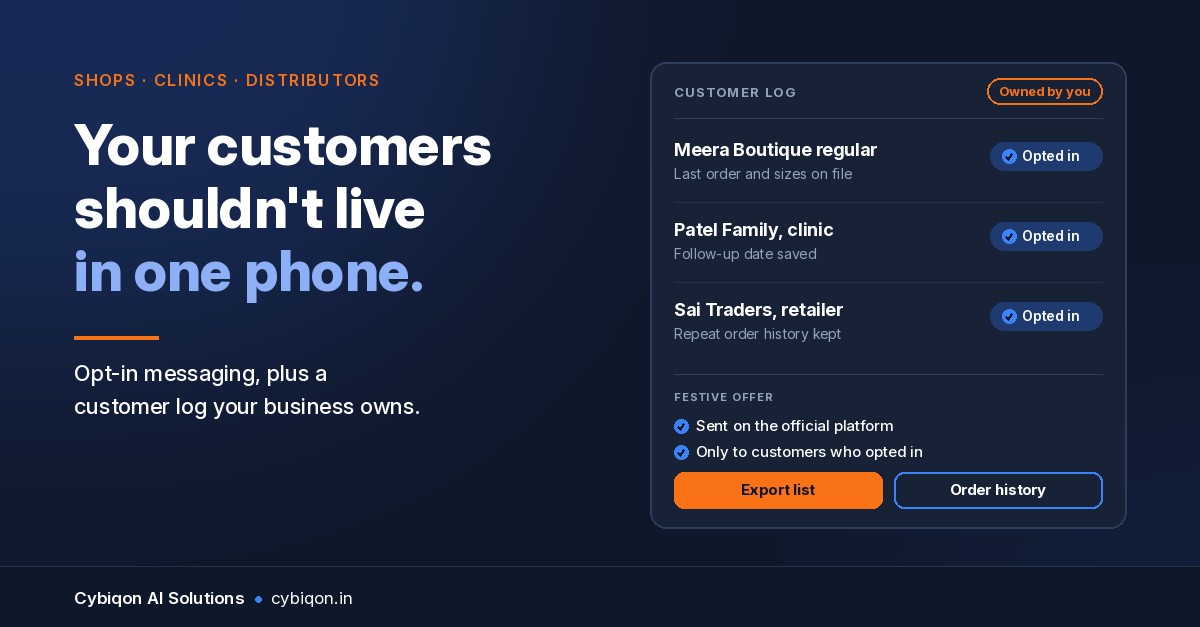
WhatsApp has 500M+ users in India (Meta, Dec 2024), which is why a shop's whole relationship with its customers ends up on one number. Say a boutique has run orders, offers and payment screenshots through a single Business app number for years. When that number is banned, it doesn't just lose a channel. It loses the only copy of its customer list.
The fix is not a cleverer bulk sender. It is owning the relationship:
- An opt-in you can prove. A "reply YES for offers" message, a website form or a QR at the counter, with the date logged.
- A contact and order log you own, outside WhatsApp, so a ban costs you a channel and not your customers.
- Official templates for order, payment and delivery updates, sent from the Business Platform. Keep the Business app for one-to-one chats.
That is the approach in our wider guide to WhatsApp automation for Indian businesses.
FAQs
Why was my WhatsApp Business account banned?
Usually because people you messaged blocked or reported you, or because you used an unofficial app or bulk sender. A recycled number can also arrive already banned. About 27% of Indian bans in August 2026 were proactive, made by automated systems before any complaint.
How long does a WhatsApp ban last?
A "temporarily banned" timer lifts once you move to the official app. A spam restriction on Business app broadcasts lasts 3 days the first time. API blocks run 1 or 3 days on templates, then 5, 7 or 30 days on all messages. "This account is not allowed to use WhatsApp" is permanent unless a review reverses it.
What happens to my chats and backups if I'm banned?
While banned, you can't access your chat history or backups. Access returns only if WhatsApp unbans the account, and the Delhi High Court case above shows data can stay inaccessible even after restoration.
Can I complain to the Grievance Officer or GAC?
Yes. After the in-app review you can approach WhatsApp's India Grievance Officer, then the Grievance Appellate Committee under Rule 3A of the IT Rules, which decides within 30 days. In August 2026, 129 of 15,106 ban appeals to the Grievance Officer led to restored accounts.
Can I still be banned on the WhatsApp Business API?
Yes. The API uses a graduated ladder of template blocks, message blocks, an account lock and then disablement. You get warnings and a 24–48 hour appeal, but unsolicited marketing is still enforced.
What Cybiqon would build for you
Cybiqon can't get a banned number restored, and nobody can honestly promise that. What we build is the setup that makes a ban survivable. That means WhatsApp on the official Business Platform with a proper opt-in flow (reply-YES, website form or counter QR) and approved templates for order and payment updates. It also means a contact and order log in an admin panel your team uses every day.
It is written for how your shop, clinic or distribution business actually takes orders rather than configured from a template, and you own every line of the code. WhatsApp automation starts from ₹19,999, and admin panels from ₹29,999, scoped per build.
Book a 30-minute call, or reach us at +91 9250711473 or support@cybiqon.in.
Conclusion
If your WhatsApp Business account banned you this Diwali, read the notice first, then request a review once in the right system. Escalate to the Grievance Officer and the GAC knowing the odds, and skip anyone selling an unban. Check that it isn't SIM binding, billing or a messaging limit before you panic. Then fix the real exposure: a customer list that lives only inside one number. Cybiqon builds the opt-in flow, the templates and the owned contact log, so the next enforcement decision costs you a channel instead of your customers.
Want this set up for your business?
Book a free call — no tech jargon, no sales pressure. Just honest answers.
What we build for this: WhatsApp automation